
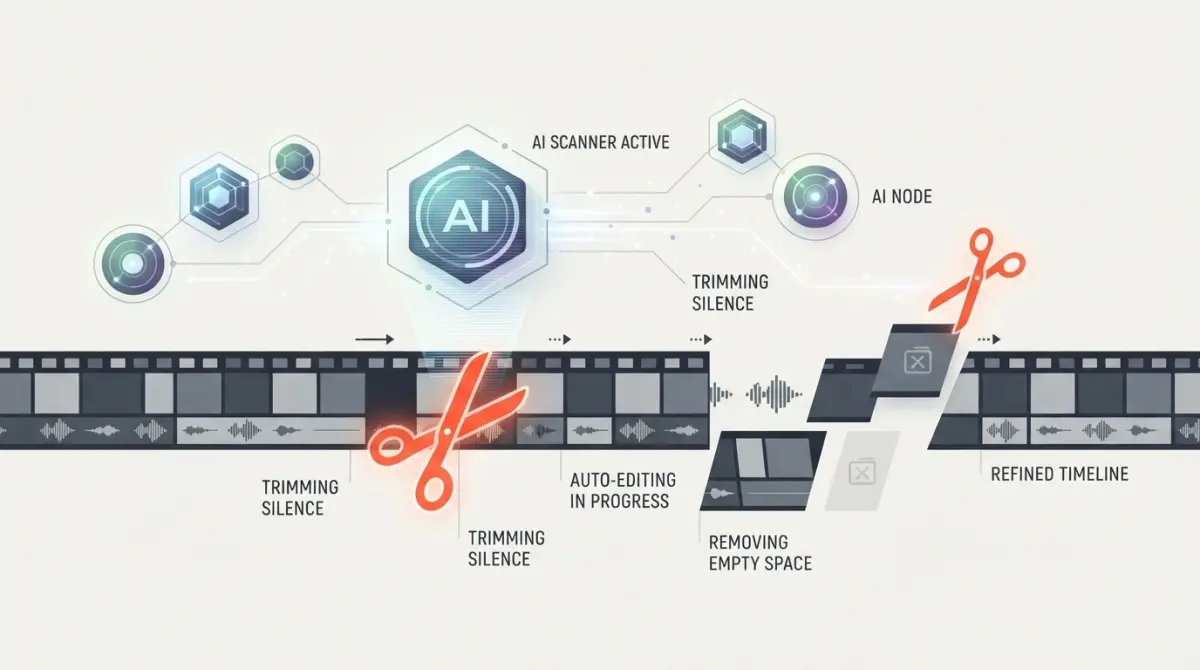

The Reality of Modern Content Production
Editing a standard ten-minute vlog usually consumes five hours of my day. Staring at raw footage while hunting for awkward pauses breaks the creative momentum completely. I started integrating automated processing into my workflow specifically to get my weekends back.
Managing gigabytes of video files highlights the friction of traditional media production. You sit at your desk, import three different camera angles, and realize the audio drifted out of sync. Fixing these minor technical issues manually drains your energy before you even begin the creative storytelling phase. Most creators abandon their publishing schedules because the post-production requirements simply become too heavy.
A typical upload requires color correction, audio leveling, b-roll placement, and accurate closed captions. Doing all of this by hand feels outdated when software can now analyze audio waveforms to detect silence automatically. Transitioning to intelligent editors fundamentally changes how you plan your shoots. You stop worrying about stumbling over your words on camera. You know the software will strip out the mistakes in seconds.
How Automated Software Actually Alters the Workflow
The traditional method involves scrubbing through a timeline frame by frame. You listen for heavy breathing, click the blade tool, make two cuts, and delete the gap. You repeat this mechanical action hundreds of times per video. It forces you to watch your own footage at real-time speed just to clean up the raw take.
Modern platforms flip this entirely. The best AI tools for YouTube video editing process the entire file upon upload and provide a generated transcript. You highlight the sentences you want to remove in a text document. The software automatically applies the ripple edits to the video timeline below. This means you can rough-cut an hour-long interview by reading the text in about ten minutes.
This structural change completely removes the spatial complexity of the timeline. You no longer have to worry about accidentally desyncing your audio track from your video layer when moving clips around. If you are exploring the broader AI tools category, you will notice this shift toward text-based manipulation everywhere.
Identifying Your Channel's Bottleneck
Finding the right software requires you to track exactly where you spend the most time. Gaming channels might spend hours hunting for the best reaction moments in a four-hour Twitch stream. Educational channels might burn their entire evening generating engaging visual overlays to explain complex topics. You need a targeted solution.
If your primary struggle is audio quality, you do not necessarily need a completely new timeline editor. You might just need a dedicated audio cleanup utility that removes room echo. If generating dynamic captions takes up your Tuesday nights, you should prioritize platforms that offer animated text presets based on voice recognition.

Evaluating the Top Platforms for Creators
The market is flooded with applications claiming to handle everything automatically. Testing them reveals that different software excels at very specific styles of content. You have to match the tool to your specific upload format.
Adobe Premiere Pro's Integrated Features
Adobe has steadily injected automated tools directly into their industry-standard software. The Text-Based Editing panel works incredibly well for creators who still want the granular control of a traditional timeline. You get the speed of transcript editing without giving up professional color grading or complex keyframing.
Their Enhance Speech feature essentially eliminates the need for expensive acoustic room treatment. You apply the effect to a noisy audio track recorded on a cheap microphone. The software analyzes the frequencies and reconstructs the vocal tones to sound like a studio condenser mic. This level of professional control keeps Premiere highly relevant.
Descript for Talking Heads and Interviews
Descript remains the absolute king of dialogue-heavy content. It was built from the ground up to treat audio and video like a Word document. The Studio Sound feature is arguably the most aggressive and effective noise reduction filter on the market today. You can completely remove background traffic noise with a single toggle switch.
If you regularly conduct remote interviews, comparing Descript vs Riverside will help you decide whether you need an all-in-one editor or a dedicated high-quality recording platform.
Opus Clip for Short-Form Repurposing
You cannot ignore YouTube Shorts if you want to grow a channel today. Taking a long-form video and manually reframing it for vertical screens is incredibly tedious. Opus Clip connects directly to your published YouTube link. It watches the video, identifies the most engaging hooks, and slices it into multiple vertical clips.
The platform automatically tracks the active speaker and keeps their face centered in the vertical frame. It also generates the highly stylized captions that perform well on social media. This turns one main upload into five pieces of promotional content with zero extra manual labor.
Practical Cost-Saving Strategies
Subscribing to five different platforms will destroy your channel's profitability. You need to build a modular workflow that relies on free built-in tools whenever possible. Software companies want you locked into their ecosystem, but you can easily mix and match specific utilities to save money.
Most creators pay for premium captioning services without realizing their primary editor already does it for free. CapCut Desktop offers incredibly accurate auto-captions and trendy text animations at no cost. You can export your finished video from a professional program, drop it into CapCut purely for the subtitle generation, and export it again.
If a specific platform is outside your budget, exploring Descript alternatives often reveals smaller startups offering the exact same automated cutting features for half the monthly price.
Feature Comparison Breakdown
Seeing the capabilities stacked against each other clarifies which subscription actually provides value. Here is how the top contenders manage the most common channel requirements.
| Platform | Best Use Case | Audio Cleanup | Auto-Captions | Pricing Model |
|---|---|---|---|---|
| Premiere Pro | Complex Documentaries | Enhance Speech | Built-in (Highly Accurate) | Monthly Subscription |
| Descript | Dialogue / Podcasts | Studio Sound | Text-Based Workflow | Tiered Monthly |
| CapCut Desktop | Trendy Vlogs / Shorts | Basic Noise Reduction | Excellent Presets | Freemium |
| Opus Clip | Repurposing Long-Form | None | Viral Social Styles | Credits Based |
Pre-Publishing Quality Control
Automated software occasionally makes bizarre decisions. Relying blindly on generated cuts will eventually result in an embarrassing upload. You must build a final review phase into your workflow to catch the glitches that machine learning misses.
An algorithm might trim out a natural pause for breath, making your speech sound aggressively robotic. It might misinterpret a brand name in your captions and display an offensive word on screen. You are still the final director of your content.
- ✅ Watch the entire video once at 1.5x speed to check for jarring jump cuts.
- ✅ Manually verify the spelling of proper nouns and technical terms in the subtitle track.
- ✅ Ensure the automated audio leveling did not accidentally boost background room noise during quiet moments.
- ✅ Check that auto-generated b-roll visually matches the specific context of your spoken sentence.
Myth: Automated software will edit a highly engaging video for you with zero human input.
Reality: These platforms strictly handle the mechanical, tedious tasks. You still have to provide the creative direction, the pacing, and the storytelling structure. The software acts as an assistant, not a replacement for an editor.
Myth: Using generated captions negatively impacts your video's search ranking.
Reality: YouTube actually prefers accurate, uploaded closed-caption files. Using software to generate an SRT file and uploading it alongside your video usually improves your discoverability.
When you optimize this process, you stop dreading the post-production phase. You can focus your energy on scripting better videos and improving your on-camera delivery. If your channel focuses heavily on audio formats alongside video, reviewing the best AI tools for podcast editing will help you synchronize your entire media strategy across platforms.
Frequently Asked Questions
Will YouTube demonetize my channel if I use AI video editors?
No, YouTube's algorithm does not penalize or demonetize channels simply for using AI editing software to trim clips, add B-roll, or generate captions. The platform prioritizes high-quality, engaging content that keeps viewers on the site. As long as your final video provides genuine value and complies with community guidelines, the editing tools you use will not hurt your monetization status.
What is the best AI tool for editing long-form YouTube videos?
For long-form content, desktop-based or comprehensive timeline editors reign supreme. Tools like CapCut (desktop version) and Descript are fantastic for handling heavy, multi-track projects. Descript specifically excels by allowing you to edit the video timeline simply by deleting words from an automatically generated text transcript.
Can AI video editors automatically cut out silence and mistakes?
Absolutely. One of the biggest time-saving features of modern AI editors is "silence removal." Software like Descript, CapCut, and AutoPod can automatically scan your raw audio track, identify extended pauses, "ums," and "ahs," and instantly ripple-delete them from your timeline, saving hours of manual cutting.
Do these tools automatically add relevant B-roll footage?
Yes, premium AI repurposing tools like OpusClip and specialized web editors feature automated B-roll insertion. The engine analyzes the contextual meaning of your spoken words and automatically overlays relevant stock footage or generated images to break up the visual monotony of a continuous talking-head shot.
Do I need a high-end PC to run these AI video editors?
Not necessarily. Many top-tier AI editing platforms operate entirely in the cloud through a web browser, meaning their external servers handle the heavy rendering workloads. However, if you choose to use integrated AI features inside local professional software like Adobe Premiere Pro or DaVinci Resolve, you will still need a computer with a dedicated GPU and sufficient RAM.
Are auto-generated captions actually accurate enough to publish?
Modern AI transcription engines achieve upwards of 95% accuracy on clear audio recordings, easily matching the pacing of your speech. While they are highly reliable, it is always recommended to do a quick manual proofread to catch misspellings of unique brand names, industry jargon, or highly specific technical terms before hitting publish.


Comments (0)
No comments yet. Be the first!
Leave a Comment