

The short version
- They cost the same. Descript Creator and Riverside Pro are both $24/month billed annually. Price is not the deciding factor.
- Riverside wins on recording. Local capture per guest at up to 4K, uncompressed audio, unaffected by their Wi-Fi.
- Descript wins on editing. Nothing else cuts an episode as fast, and its video tools go further.
- Remote guests? Riverside. Solo or in-person? Descript.
- Using both costs $40/month and is genuinely the professional setup — but only once your show earns something.
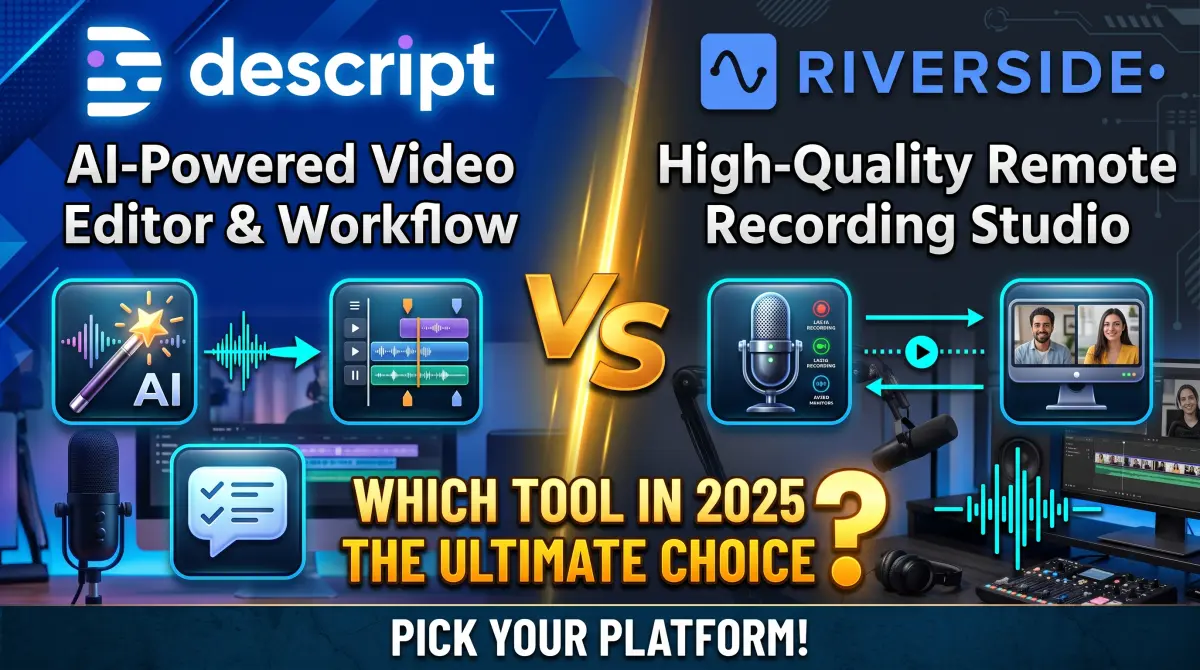
These two get compared constantly, and most comparisons bury the useful part. So here it is up front: Riverside is a recording platform that learned to edit. Descript is an editor that learned to record. Everything else follows from that.
The awkward part for anyone trying to choose is that they now cost exactly the same at the tier most people buy. That removes the easy tiebreaker and forces an actual decision about what your show needs. This guide walks through where each one genuinely wins. Prices are current as of September 2026.
Price: a dead heat
| Descript | Riverside | |
|---|---|---|
| Free tier | 60 min/month, 720p, watermark | 2 hrs multitrack once, 720p, watermark |
| Entry paid | Hobbyist — $16/mo annual, 10 hrs | — |
| Main plan | Creator — $24/mo annual, 30 hrs | Pro — $24/mo annual, 5 hrs |
| Next tier | Business — $50/mo annual, 40 hrs | Grow — $34/mo annual, 15 hrs |
| How limits work | Media hours + AI credits | Separate-track recording hours |
Read those hour figures carefully, because they are not measuring the same thing. Descript's 30 hours is media you bring into the app. Riverside's 5 hours is multitrack recording time — and a 45-minute interview with two people plus false starts consumes a real share of it. On paper Descript looks six times more generous. In practice they land closer, because Riverside is only metering the recording step.
Descript's AI credits are the wrinkle. Every AI feature spends them, and a weekly long-form show will exhaust Hobbyist's 400 faster than the pricing page suggests. Riverside's limit is simpler to predict: you either recorded five hours this month or you did not.
Round 1: Recording — Riverside, clearly
This is not close, and it is the single biggest reason to choose Riverside.
Riverside records locally on each participant's device at up to 4K video with uncompressed audio, then uploads the files afterwards. Your guest's connection can stutter through the entire conversation and your master recording will not know it happened. You get separate tracks per speaker, which is what makes real mixing possible later.
Descript can record, including multitrack sessions with guests at 4K, but it does not match that bulletproof local-capture approach. For a solo host recording into a local mic, this difference is irrelevant. For interviews, it is the whole ballgame — because no amount of AI cleanup recovers audio that was compressed away during the call.
That is worth sitting with: editing problems can be fixed later, recording problems cannot. If your show is interviews, weight this round heavily.
Round 2: Editing — Descript, comfortably
Both edit by transcript. Delete the words, the media follows. But Descript has been building this for years and it shows in the details.
Descript gives you Studio Sound, one-click filler word removal across a whole project, Overdub for typing corrections in your cloned voice, green screen, eye contact correction, scenes and layouts, translation into 30+ languages, and the Underlord assistant layer that drafts show notes and suggests cuts. It also has genuine timeline controls underneath the transcript for when you need precision.
Riverside has caught up further than most people realise — text-based editing, multitrack editing to kill crosstalk and switch layouts, AI filler word removal, speech correction, eye contact adjustment. It is a capable editor. It is just not a specialist one.
If you sat down to cut the same episode in both, you would finish faster in Descript. Whether that margin is worth reorganising your workflow around is the actual question.
Round 3: Video — Descript, but check what you need
Riverside captures better video: 4K per participant, locally. Descript edits video further: scenes, layouts, Quick Design with automatic b-roll, AI video generation, custom avatars, green screen.
So the answer depends on which end of the pipeline you care about. If your video work is "put two talking heads side by side and publish", Riverside covers it and captures it better. If you are building something with b-roll, graphics, and structure, Descript gives you more to work with.
Neither is a replacement for a real timeline editor. If your show needs multicam, colour grading, or motion graphics, both will frustrate you eventually — and the answer there is Premiere Pro, which has text-based editing built in.
Round 4: Clips and repurposing — slight edge to Riverside
Both generate short vertical clips from long recordings. Riverside's Magic Clips pulls from the full-quality local tracks rather than a compressed export, which means your TikTok cut starts from better source material. Its AI Co-Creator also generates thumbnails, headlines and per-platform posts.
Descript's Underlord finds clips too, and its editing tools let you shape them further once found. If clips are a serious part of your strategy you will likely end up doing the finishing work in Descript regardless of where the clip was identified.
Round 5: Publishing — Riverside, if you want fewer tools
Riverside includes podcast hosting with distribution to Spotify, Apple and YouTube, livestreaming to multiple platforms at once, a creator website on the Grow plan, and analytics. Descript hands you a finished file and expects you to host it elsewhere.
If you are currently paying separately for hosting, fold that cost into the comparison — it can swing the maths by $10–20 a month and quietly makes Riverside the cheaper option overall.
The scoreboard
| What you care about | Pick |
|---|---|
| Remote guests, interview format | Riverside |
| Solo show, or everyone in one room | Descript |
| Editing time is your bottleneck | Descript |
| Guest audio quality is your bottleneck | Riverside |
| You want hosting bundled in | Riverside |
| Heavy video production with b-roll | Descript |
| You want predictable monthly limits | Riverside |
| You need to fix misspoken words | Descript (Overdub) |
Using both — the honest maths
Plenty of professional shows record in Riverside and edit in Descript, and it is a genuinely good workflow: bulletproof capture, fastest possible edit. But be clear about the cost before you drift into it.
What the combination actually costs
Riverside Pro — $24/month annual, for recording
Descript Hobbyist — $16/month annual, for editing
Total: $40/month, or $480 a year
Hobbyist is usually enough on the editing side, because you are importing finished recordings rather than doing everything in one app. Check its 400 monthly AI credits against how much filler-word removal and Studio Sound you actually run.
$480 a year is reasonable for a show with sponsors. It is a lot for a show with twelve listeners. If you are not earning yet, pick one, and pick it based on which problem is currently costing you more time.
Test both before you commit
Both free tiers are sized for exactly this, and one real episode will tell you more than any comparison article, this one included.
- Record the same conversation in both. Riverside's free tier gives 2 hours of multitrack; Descript's gives 60 minutes of media a month.
- Edit the same ten minutes in both and time yourself honestly.
- Listen to the guest track from each on headphones. This is where Riverside usually settles the argument on its own.
- Watch your credit balance in Descript while you do it. If ten minutes of editing makes a visible dent, plan for the tier above.
Both free tiers watermark exports at 720p, so judge quality from the source files rather than the export.
The verdict
If your show is interviews with remote guests, choose Riverside and do not overthink it. Recording quality is the one thing you cannot fix afterwards, and Riverside protects it better than anything else at this price.
If you record alone, or everyone is in the same room, choose Descript. You are not paying for Riverside's main advantage, and you are getting the faster editor and the stronger video toolkit for the same money.
And if you cannot decide, that is usually a sign the honest answer is neither, yet. Record on what you have, clean it up with free tools, and buy a subscription when a specific step is costing you hours you would rather spend making the show.




Comments (0)
No comments yet. Be the first!
Leave a Comment