

Podcasting is no longer just about hitting record; it has evolved into a massive ecosystem of high-quality audio production and multi-platform content repurposing. If you are a podcast host or producer, you already know that audio editing is a tedious, time-consuming bottleneck. The days of spending hours manually cutting out "uhms," removing background noise, and balancing audio levels are officially over.
In 2026, Artificial Intelligence (AI) has streamlined podcast production to the point where you can focus entirely on the creative side of your show. In this post, we will explore the absolute best AI tools for podcast editing that are transforming modern production workflows.
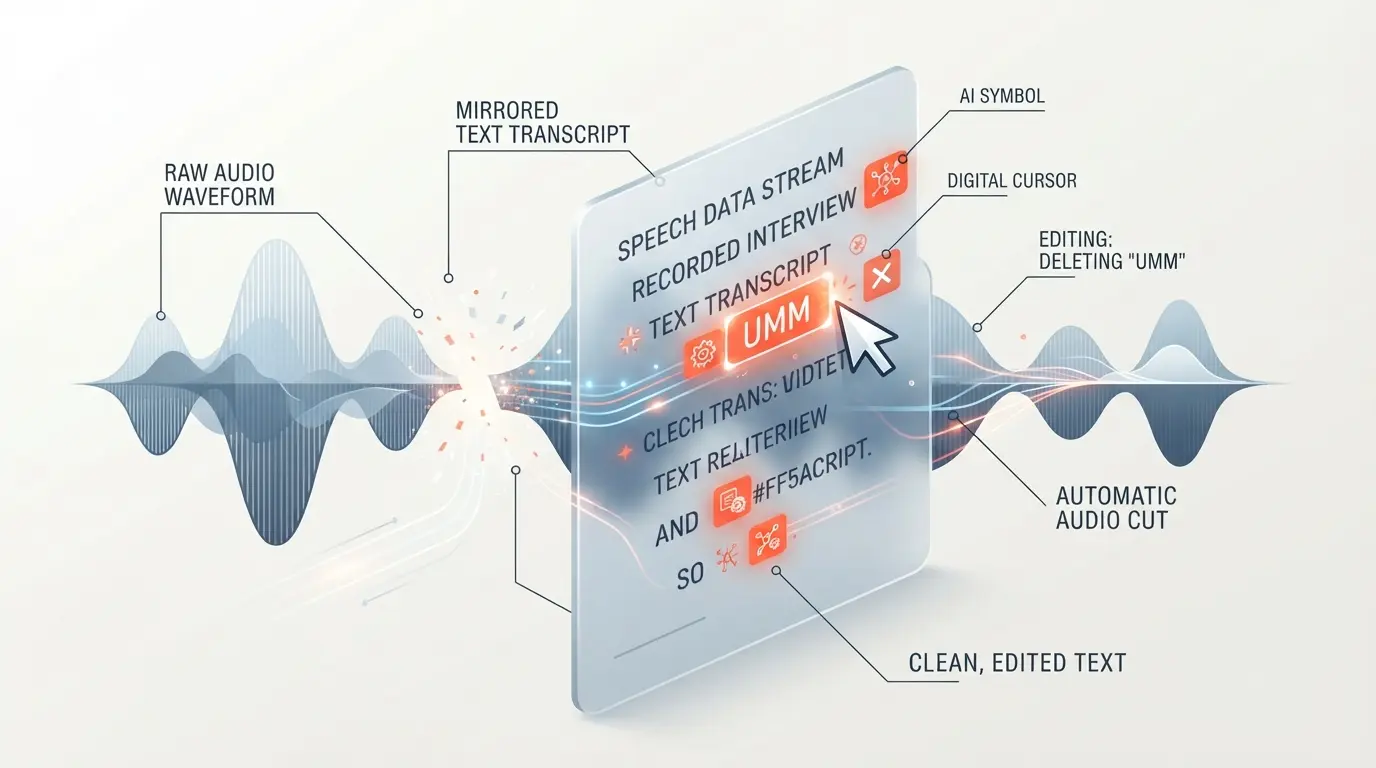
Using modern AI tools in 2026 to transform long, messy audio files into clean, professional content and social media assets instantly.
If you are exploring alternative methods to process your audio and video, you can check out our comparison on DaVinci Resolve Free vs Descript Paid: Which Wins? to see how traditional non-linear editors stack up against AI software.
Why Use AI Editing Tools for Podcasts in 2026?
Traditionally, editing a one-hour podcast episode could easily take three to five hours of manual labor. AI has completely flipped that equation.
- Massive Time Savings: AI tools automatically perform noise removal, silence cutting, and filler word deletion in a matter of minutes.
- Studio-Quality Audio: AI enhancement algorithms can take audio recorded in a highly reflective, noisy room and convert it into crisp, "studio quality" sound.
- Content Repurposing: You can effortlessly convert a single audio episode into vertical short clips (Shorts/Reels), SEO blog posts, and social media threads.
- Perfect Transcription: Generating 100% accurate transcripts and subtitles is now a one-click process.
Here are the top 5 AI podcast editing tools leading the industry in 2026.
1. Descript (The Text-Based Editor)
Descript remains a massive favorite among podcasters in 2026. The primary reason is its revolutionary "text-based editing" capability. Once you record your audio, Descript transcribes it automatically. From there, you simply highlight and delete text in the document, and the software automatically cuts the corresponding underlying audio and video.
Key Features:
- Overdub: An incredible voice cloning feature that allows you to fix misspoken words simply by typing the correct word into the transcript.
- Studio Sound: A one-click AI filter that completely removes background noise and room echo, giving your voice a professional broadcast presence.
- Filler Word Removal: Instantly identifies and removes all "ums," "ahs," and stuttered words across your entire timeline with one click.

Descript’s text-based interface completely revolutionizes post-production—if you can edit a text document, you can edit a podcast.
To dive deeper into text-based editing ecosystems and find similar platforms, read our guide on the 7 Descript Alternatives Worth Switching To in 2026.
2. Adobe Premiere Pro w/ AI (The Professional's Choice)
Adobe Premiere Pro is no longer just a video editor; it has evolved into a powerhouse for podcast producers thanks to the maturity of the Adobe Sensei AI engine. If you produce a video podcast and need deep control, Premiere Pro’s native AI audio tools allow you to work incredibly fast without leaving the professional timeline.
Key Features:
- Auto-Ducking: Automatically lowers the volume of your background music tracks exactly when someone starts speaking.
- Enhance Speech: Adobe's native AI tool that transforms poor-quality microphone recordings into professional, isolated podcast audio.
- Text-Based Editing: Premiere Pro now includes native text-based editing, allowing you to edit the timeline by deleting transcribed text directly in the software.
3. Riverside.fm (Recording & Smart Editing)
While Riverside is primarily known for capturing high-quality remote recordings, its AI post-production features have improved drastically in 2026. You can now record high-stakes interviews in your browser and edit them immediately in the exact same window.
Key Features:
- Local Recording: Records lossless video and audio directly on the guest's local hardware, bypassing spotty internet connections completely.
- AI Magic Clips: Automatically analyzes your long-form podcast to find the most engaging moments, instantly generating formatted vertical clips for TikTok and Reels.
- Automated Transcripts: Full episode transcripts and subtitles are generated the second you stop recording.
Riverside allows you to capture flawless remote audio and instantly generate viral AI Magic Clips for your social media channels.
To understand the difference between capture-first and edit-first platforms, check out our full breakdown: Descript vs Riverside 2026: Which One Should You Pay For?
4. Swell AI (Content Repurposing / Audio-to-Text)
Swell AI is not a traditional timeline editor, but it is an indispensable tool for podcast producers. It focuses on the marketing and distribution side of podcasting by utilizing AI to turn your raw audio files into versatile written content.
Key Features:
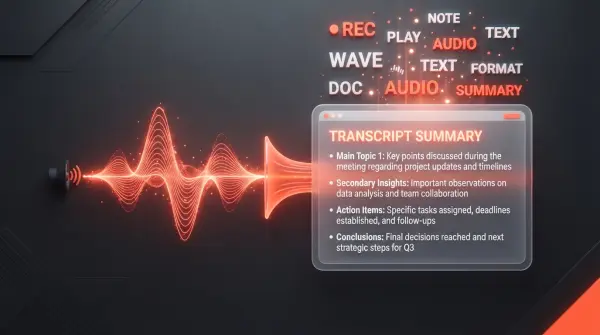
- Automated Show Notes: Writes professional, SEO-optimized show notes perfectly tailored to the context of your episode.
- Timestamps & Chapters: Automatically identifies key topics and creates accurate YouTube chapters and timestamps.
- Social Media Posts & Articles: Generates engaging Twitter threads, LinkedIn posts, and comprehensive blog articles based entirely on your spoken script.
If you are a YouTube creator looking to speed up your pre-production writing phase, take a look at The Ultimate Guide to the Best AI Script Writing Tools for YouTube Creators.
5. Auphonic (The Mastering Standard)
Auphonic is a web-based AI audio mastering tool used to apply the "final polish" to your exported episode. It acts as an automated audio engineer, taking your finished edit and ensuring it sounds perfect for Spotify and Apple Podcasts.
Key Features:
- Intelligent Leveler: Automatically balances the volume between multiple different speakers and background music tracks.
- Loudness Normalization: Ensures your final audio file hits the exact broadcast standard loudness levels (e.g., -16 LUFS for podcasts).
- Noise and Hum Reduction: Uses AI to filter out persistent background hums and static without distorting the human voice.
If you are heavily focused on audio quality, synthetic voiceovers, and localization, exploring our ElevenLabs Voice Cloning/Dubbing Review: The Creator's Truth provides excellent insight into the cutting edge of AI voice technology.
Conclusion
In 2026, if you are still manually cutting out silences and typing your own show notes, you are falling behind the competition. The AI tools listed above will not only save you dozens of hours every month but will drastically improve the final quality of your podcast.
If your priority is generating quick social media clips alongside pristine remote recording, Riverside is your best bet. If you want absolute control over your timeline with the speed of a word processor, Descript remains the undisputed champion.
Frequently Asked Questions
Can I actually edit a 1-hour podcast in 10 minutes using AI tools in 2026?
Yes, using tools like Descript or Riverside, the heavy lifting—such as removing filler words, cutting dead silence, auto-leveling volume, and removing background noise—is done automatically within minutes. However, you should still allocate a bit of time for a manual final review to ensure perfect pacing.
Will these AI editing tools completely change the sound of my voice?
No, the vast majority of podcast editing AI simply enhances your original recording. Features like Studio Sound remove room echo and background noise to make your voice clearer, but they maintain your natural tone. Some tools, like Descript's Overdub, do use voice cloning, but this is specifically utilized to patch minor recording mistakes, not to replace your entire performance.
What is the main difference between Descript and Riverside?
Riverside is primarily designed for high-quality local remote recording (capturing uncompressed audio/video from guests) with built-in quick clipping features. Descript is primarily a highly advanced post-production editor specializing in text-based editing, voice cloning, and deep timeline manipulation.
Do I still need a professional audio engineer if I use AI tools?
AI tools can comfortably handle 80-90% of the standard production work, which is more than enough for solo creators and mid-sized shows. However, for highly complex narrative podcasts, theatrical sound design, or deep cinematic color grading on video podcasts, a professional human engineer is still highly recommended.
Do these podcast editing tools offer free trials?
Yes, almost every tool listed here—including Descript, Riverside, and Auphonic—offers a limited free tier or a free trial. This allows you to test their AI noise reduction, text-based editing, and transcription accuracy on a few hours of audio before committing to a paid monthly subscription.


Comments (0)
No comments yet. Be the first!
Leave a Comment